Core HR & 201 File
Every employee record, complete and always up to date
Replace scattered spreadsheets and paper 201 folders with one secure, searchable employee master file. Personal data, government IDs, employment, compensation, and documents live in one place — with a full history of every change.
The difference
Why HR teams choose PHRIMS for core hr & 201 file
The usual headaches
- 201 files split between folders, spreadsheets, and email attachments
- No reliable history of who changed a salary, position, or civil status, and when
- Government ID numbers typed in wrong formats, discovered only at remittance time
- Reorganizations and transfers updated by hand across payroll, schedules, and approvers
With PHRIMS
- A single source of truth for every employee across all your companies and sites
- Effective-dated history: see any employee exactly as they were on any date
- Sensitive fields visible only to the people who need them
- Movements flow automatically into payroll, schedules, and approval routing
Capabilities
Everything included
Features marked with the info icon are coming soon — select it for details.
Digital 201 file
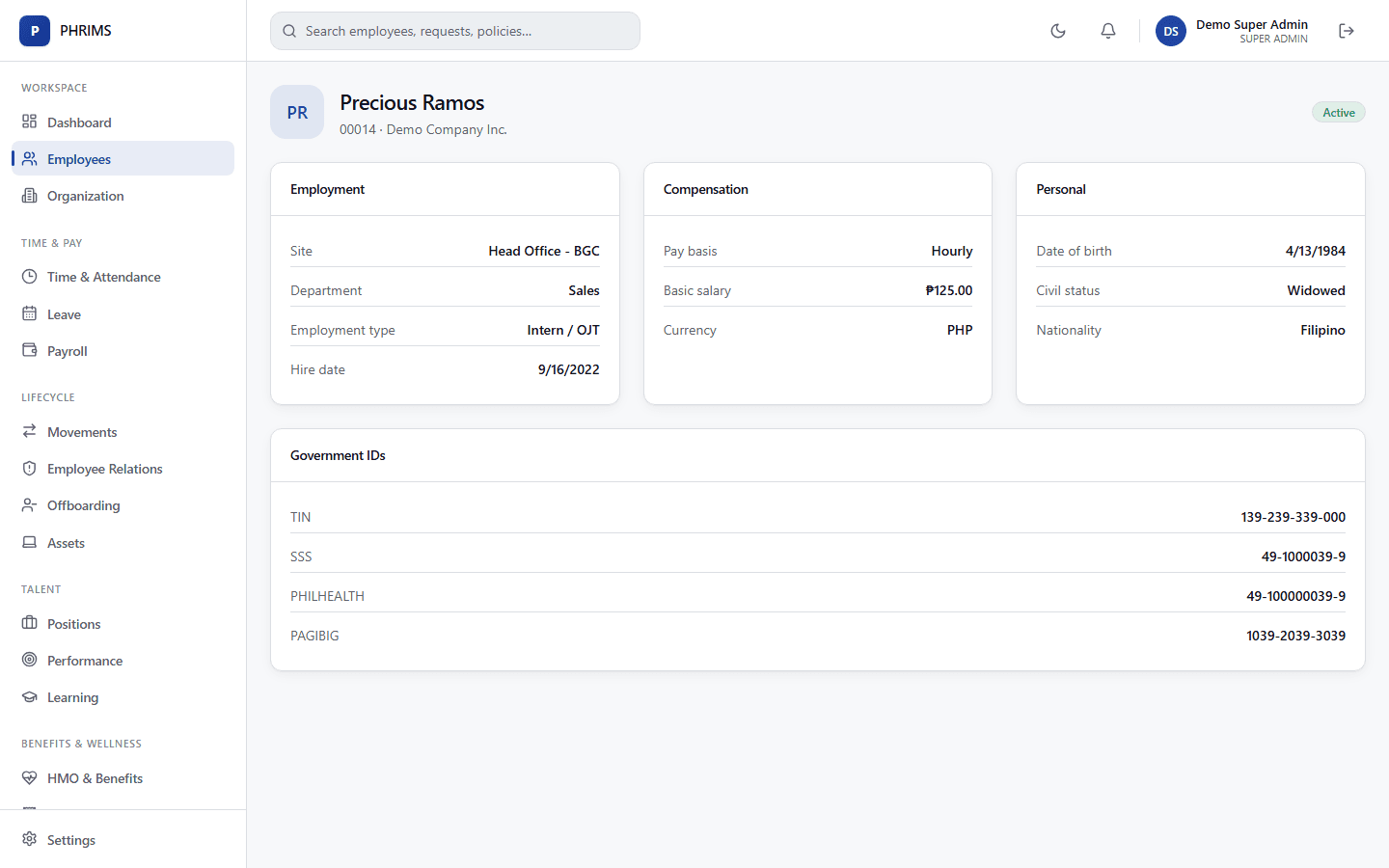
Complete employee profile
Personal details, contact information, employment details, compensation, and job information in one profile.
Government IDs on file
TIN, SSS, PhilHealth, and Pag-IBIG numbers stored with each employee and used by payroll.
Effective-dated history
Employment and compensation changes are versioned by effective date — never overwritten — so history is always intact.
Government ID format validation
TIN, SSS, PhilHealth PIN, Pag-IBIG MID, UMID and PhilSys numbers checked against official formats.
Family, dependents & beneficiaries
Spouse, children, and parents flagged for HMO, SSS beneficiary, and insurance purposes.
Document repository with expiry alerts
PSA certificates, NBI clearances, licenses, and contracts with versioning and reminders before they expire.
Duplicate detection
Flags records that share a TIN, SSS number, or name and birth date before they are saved.
Organization & positions
Multi-company structure
Legal entities with their own TIN and employer numbers, sites and branches, and departments — all under one account.
Position catalog
Plan seats by position with planned, filled, and open headcount per org unit.
Interactive org chart
Browse by company, site, department, or manager, including vacant positions.
Cost centers & accounts
Charge employees to one or more cost centers, client accounts, or campaigns by percentage.
Movements & lifecycle
Promotions, transfers & reclassifications
Record every movement with its effective date and reason on the employee timeline.
Regularization tracking
Probation reviews scheduled at months 3 and 5, with alerts before the 6-month mark so no one becomes regular by accident.
Mass movements
Apply a reorganization or salary increase to hundreds of employees at once, with an impact preview.
Bulk import & guided setup
Import employees from Excel with row-level validation, and follow a setup checklist to your first compliant payroll.
Philippine compliance
Built around the law, not bolted on
The rules below are part of how this area works — configured as effective-dated policy, so your company rules can be more generous than the law, never less.
- Labor Code Art. 296 — probationary employment and regularization
- RA 10173 — Data Privacy Act (sensitive personal information)
- RA 11165 — Telecommuting Act (work arrangement records)
- RA 11261 — First Time Jobseekers Assistance Act
More in Core HR
Pre-boarding & Onboarding
Collect requirements before Day 1 and get new hires productive faster.
Learn moreOffboarding & Final Pay
Clearance, final pay, COE, and exit documents handled on time.
Learn moreForeign Nationals & Global Workforce
Permits, visas, expat pay, contractors, and international staff.
Learn moreSee PHRIMS running your HR and payroll
Book a walkthrough tailored to your company, or create your account today and set up your first company in minutes.